
Split by Chapters
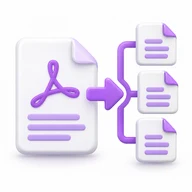
Split PDF at chapter boundaries
Split a PDF at chapter boundaries online for free. Create separate sections from a structured document using the PDF AI chapter-splitting tool.
Upload your PDF with bookmarks.
The tool detects chapter boundaries.
Click process to split at chapters.
Download individual chapter files as a ZIP.
About Split by Chapters
Separate chapters from a PDF whose internal structure identifies their boundaries. A printed table of contents is not necessarily the same as PDF bookmarks. If the document has no suitable structure, use Split PDF and enter the page ranges yourself.
How to use Split by Chapters
- Upload your PDF with bookmarks.
- The tool detects chapter boundaries.
- Click process to split at chapters.
- Download individual chapter files as a ZIP.
Frequently Asked Questions
Is this tool free?
Yes. Every PDF AI tool is included in the Free plan. You can use the Free tools without an account; see Pricing for current daily allowances and optional paid plans.
How large can my upload be?
Upload up to 200 MB per task and up to 10 files for tools that support multiple files.
How are files handled?
Files are processed on the server. Successful jobs are scheduled for automatic cleanup after 10 minutes.